01 · Overview
A gamified path into coding and algorithmic thinking.
CodeAlgo is a gamified coding platform whose goal is to become part of standardized school curricula and teach K–12 students the fundamentals of coding and algorithmic thinking.
The UX team was asked to create a minimum viable product for the CodeAlgo Academy teacher dashboard so the client could communicate the product vision to potential investors.
UX Team
Hamed EmariKari CheungCayla Snooke
02 · Initial Problem
Build enough clarity to make the product investable and usable.
The challenge
Code Algo Academy at their conception phase needed an investor-ready teacher experience that could demonstrate classroom management, curriculum delivery, assignments, scheduling, and student progress without becoming overwhelming.
The goal
Understand what computer science teachers need in a dashboard, then create an MVP for both the teacher dashboard and the student portal that is simple enough to demonstrate and structured enough to grow.
Human-centered process
Research. Define. Design. Test.
01Competitive Analysis
02User Research
03Affinity Mapping
04Persona + Flow
05Wireframes
06Testing + Prototype
03 · Research
Learning what teachers need before deciding what to build.
The research phase combined a competitive review with educator interviews and affinity mapping to surface recurring classroom needs: progress visibility, fast planning, assignment management, privacy, and time-efficient feedback.
Competitive & Comparative Analysis
Map the category before entering it.
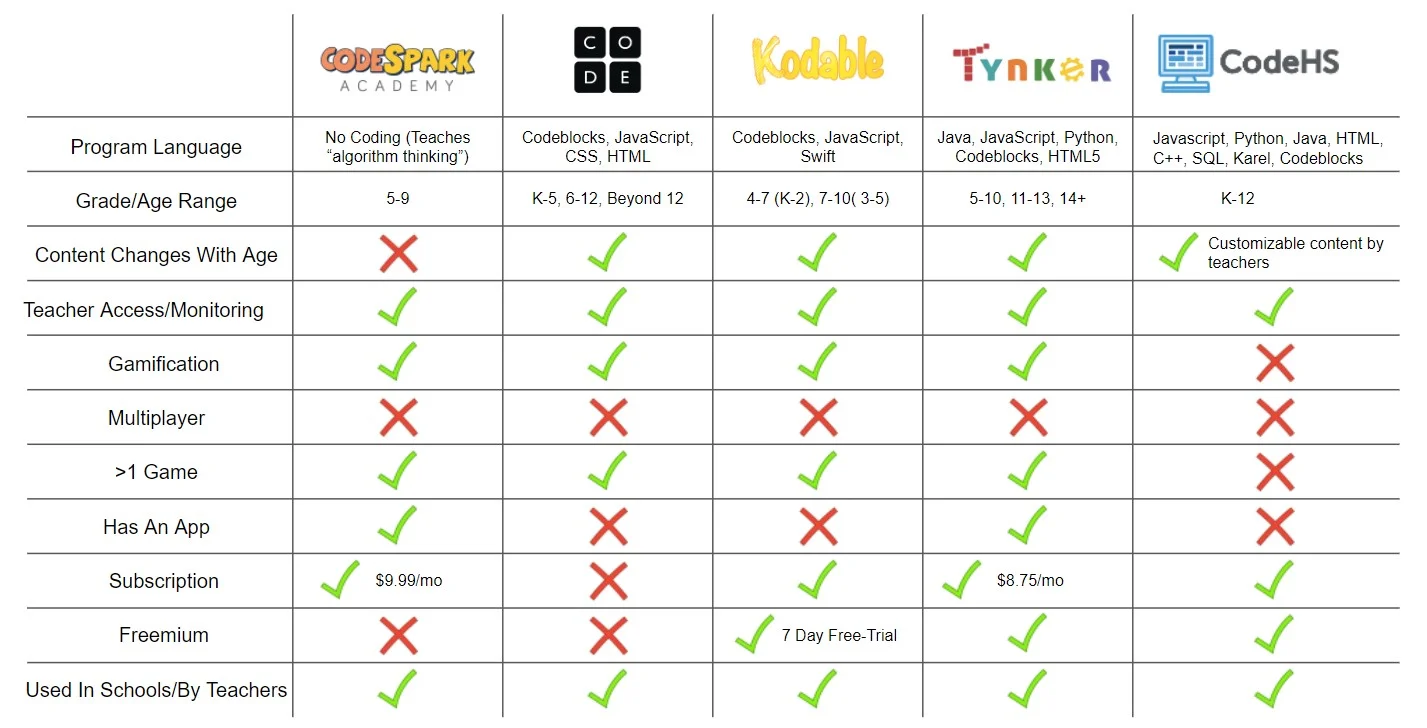
We compared programming languages, grade ranges, teacher monitoring, gamification, multiplayer support, pricing models, and school adoption across direct and indirect competitors.
User Research + Affinity Mapping
Turn individual comments into shared patterns.
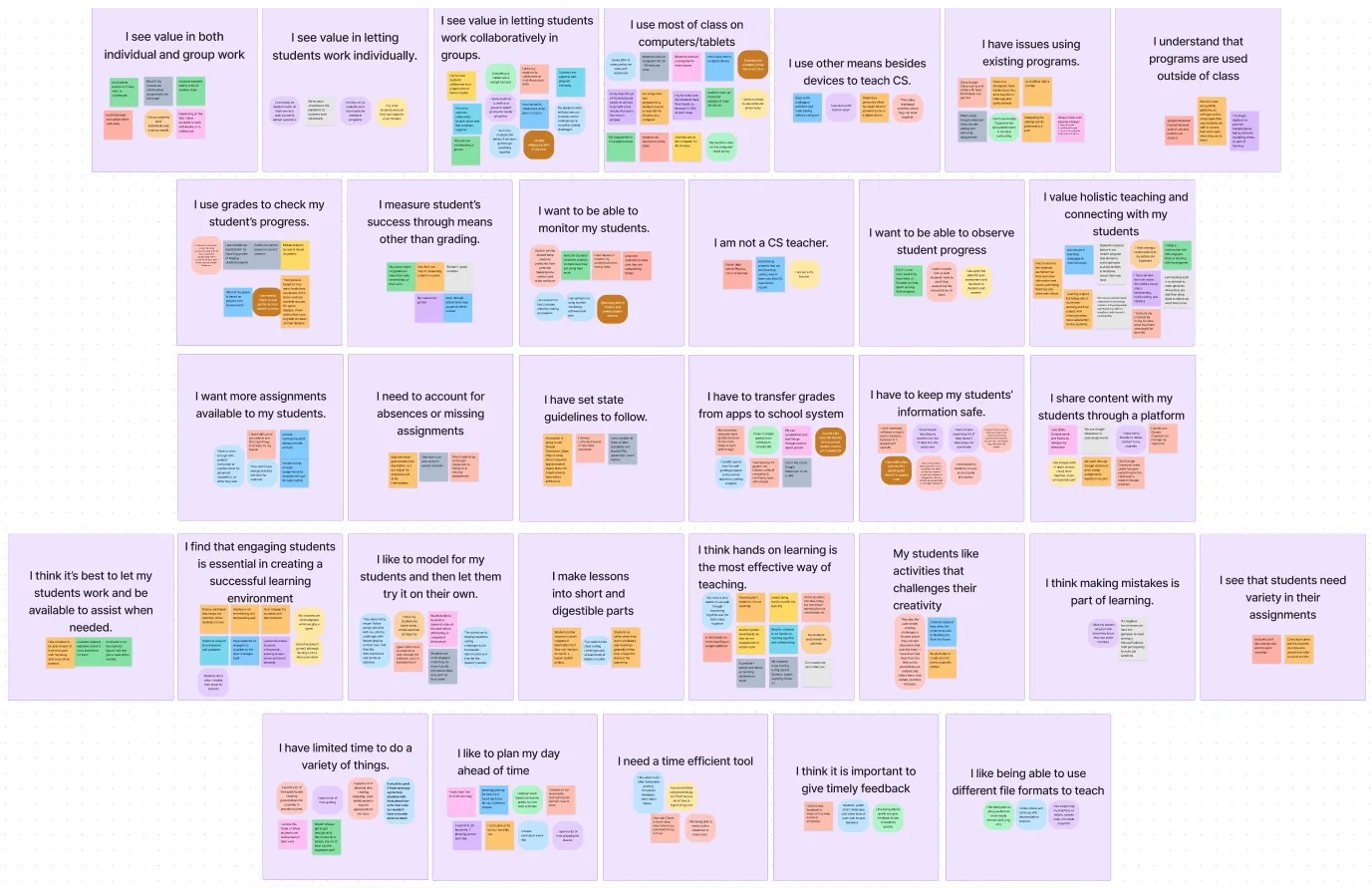
Educator interviews were grouped into “I statements” around collaboration, devices, grading, progress monitoring, curriculum standards, student privacy, differentiated learning, lesson planning, and timely feedback.
04 · Define
Persona Creation
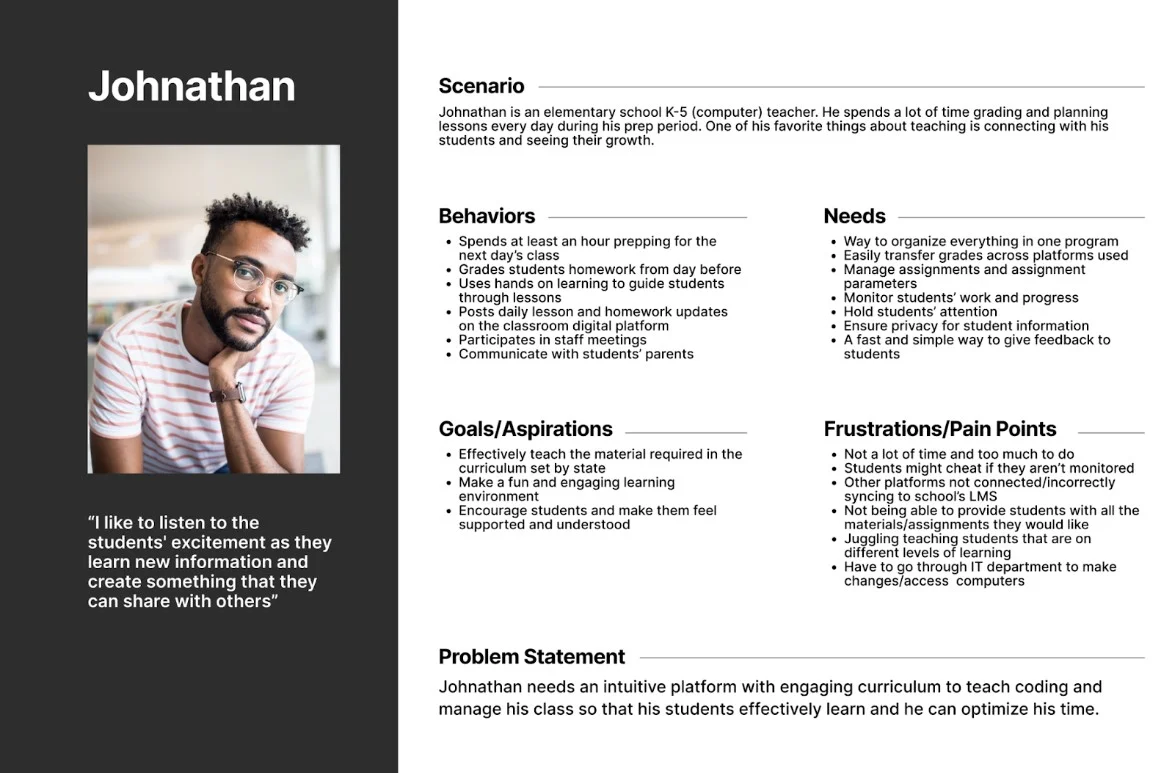
Persona · Johnathan
“I like to listen to the students' excitement as they learn new information and create something that they can share with others.”
Problem statement
Johnathan needs an intuitive platform with engaging curriculum to teach coding and manage his class so that his students can learn effectively while he optimizes his time.
User Flow
Planning teacher user flows.
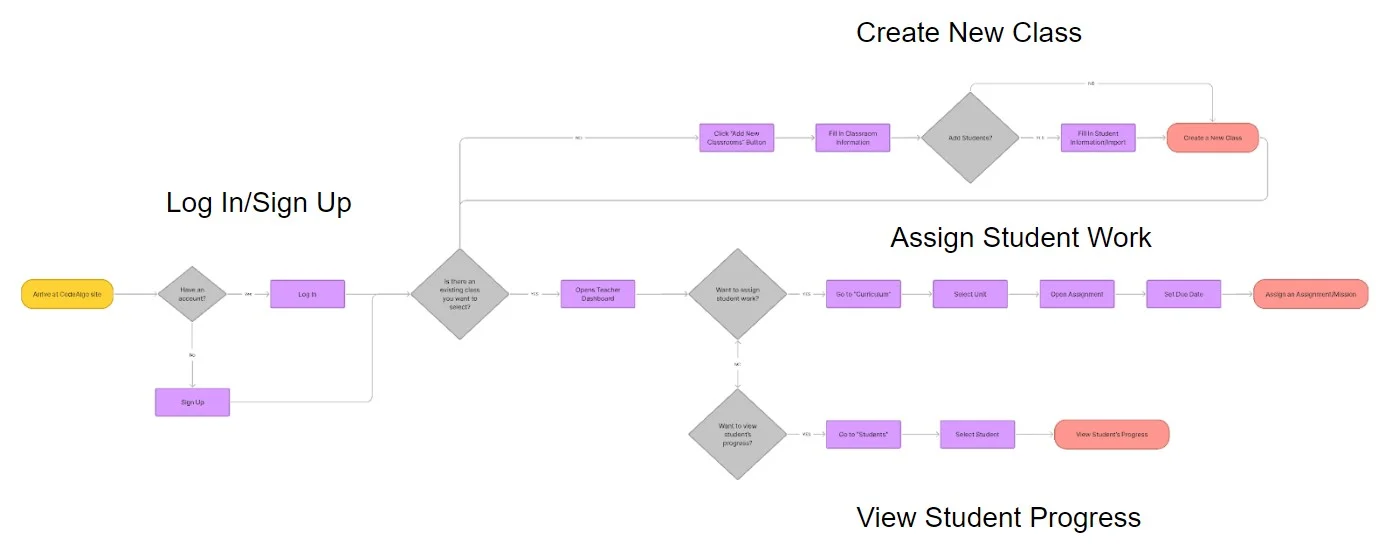
Log in or sign up, create a class, assign student work, and review student progress from a connected dashboard flow.
05 · Design
Move quickly from rough ideas to a testable system.
01
Sketches
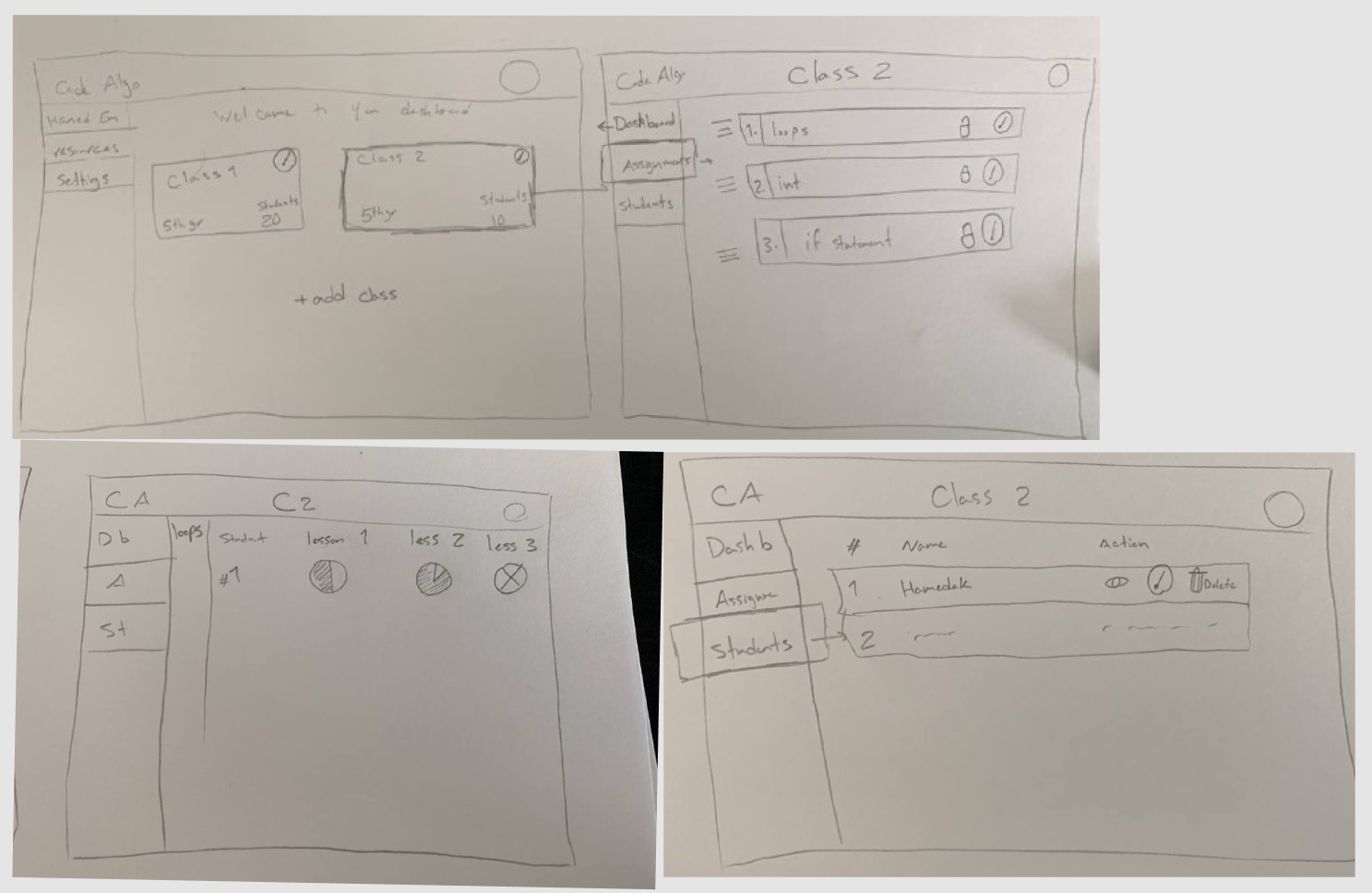
The team used a shared design system to guide rapid sketching: five minutes to draw, ten minutes to critique, and twenty minutes to iterate and finalize each page direction.
02
Wireframes
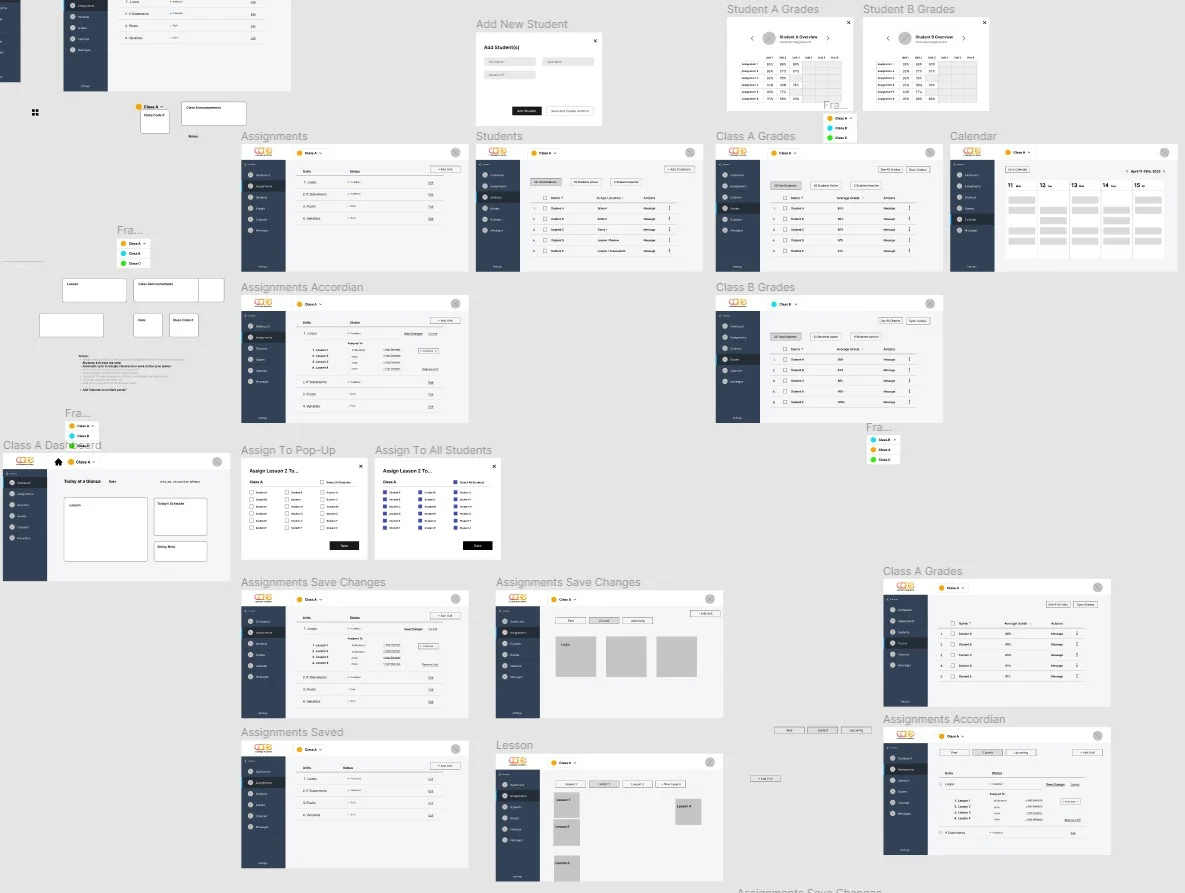
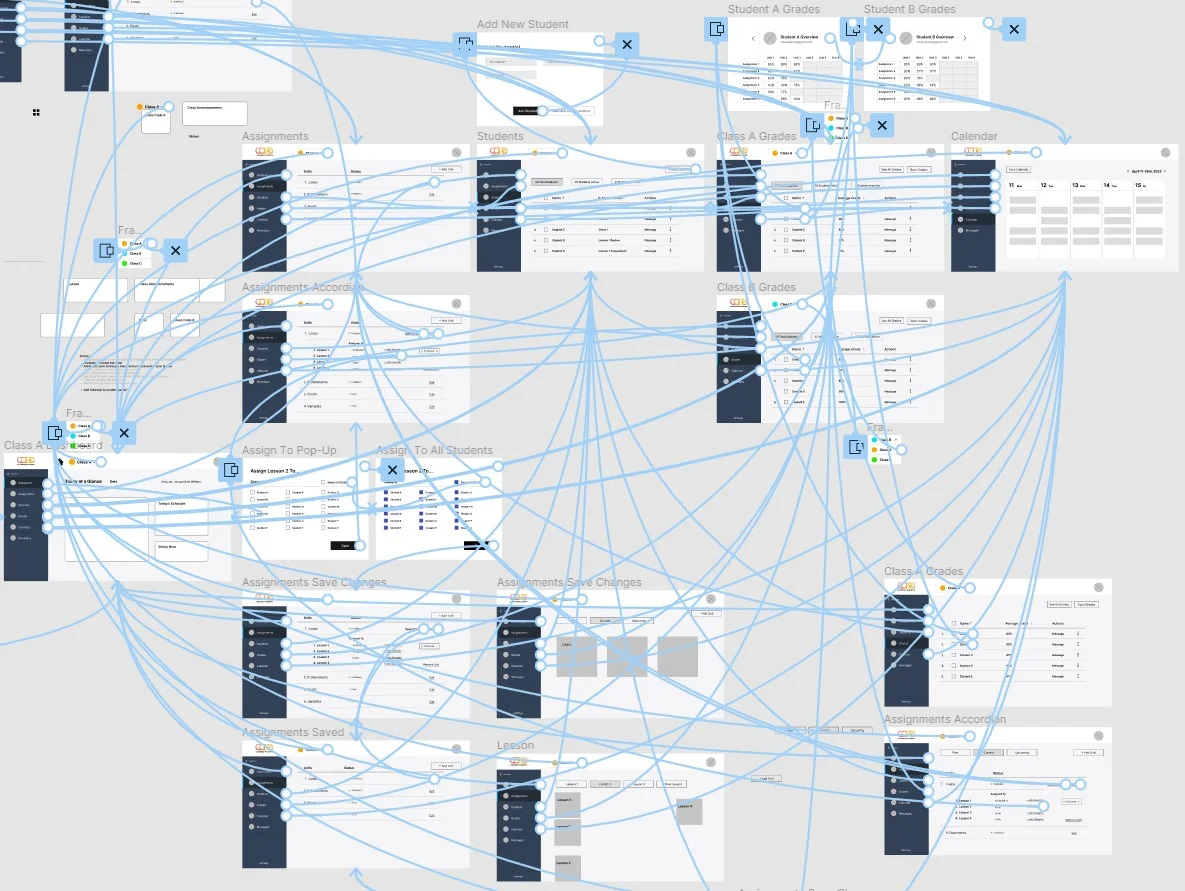
Working collaboratively in Figma, the team translated the sketches into grayscale dashboard screens in half a day and connected the primary classroom workflows.
Usability Testing
Test behavior before visual polish.
An interactive wireframe prototype was used to test functionality. Participants were asked to focus on whether the experience made sense rather than how the interface looked.
- Make navigation and return paths unmistakable.
- Keep progress and assignment status visible.
- Reduce the number of steps needed to reach frequent actions.
- Use familiar labels and patterns for classroom workflows.
- Continue testing with teachers, students, and parents.
06 · Prototype
Two connected experiences. One learning ecosystem.
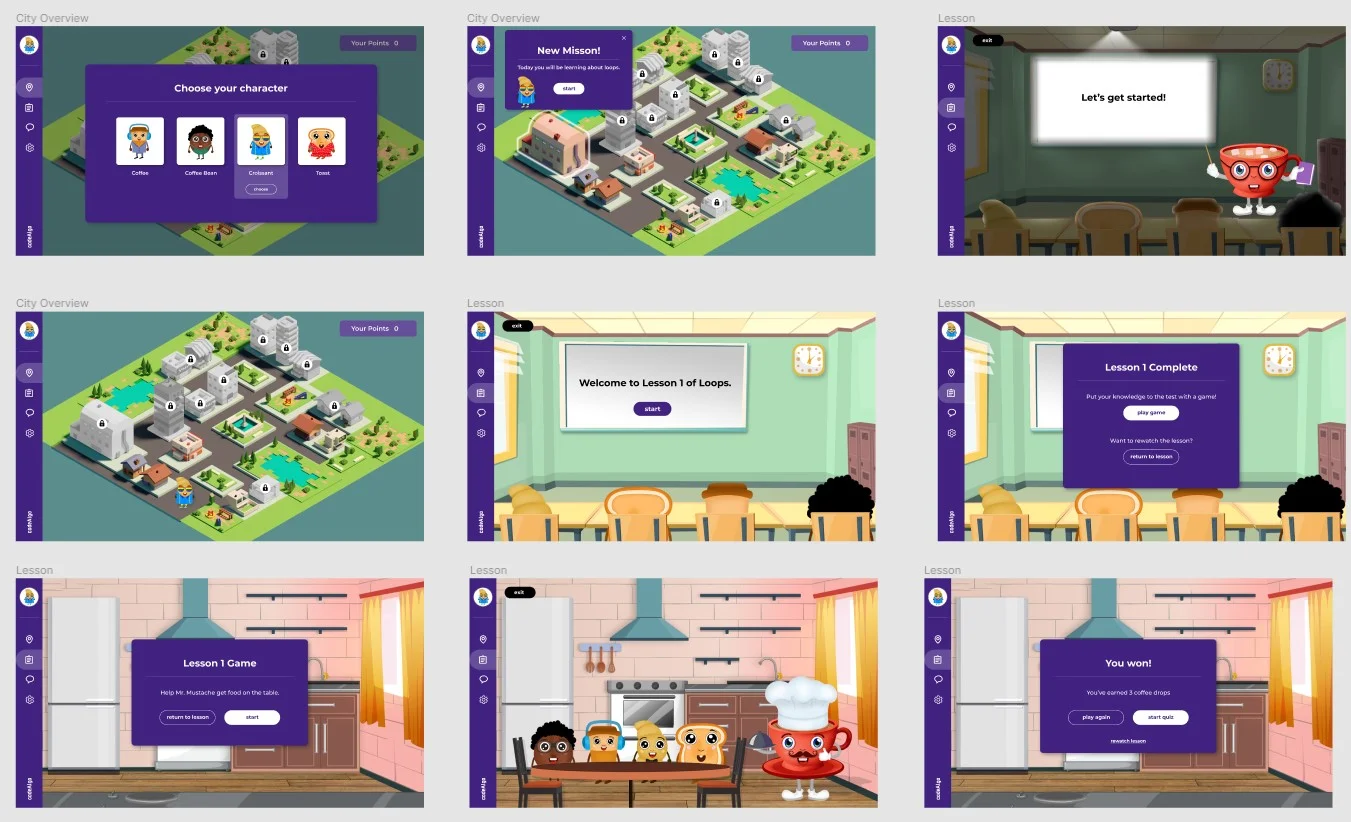
The final concept paired a classroom-management experience for teachers with a colorful, game-based learning environment for students.
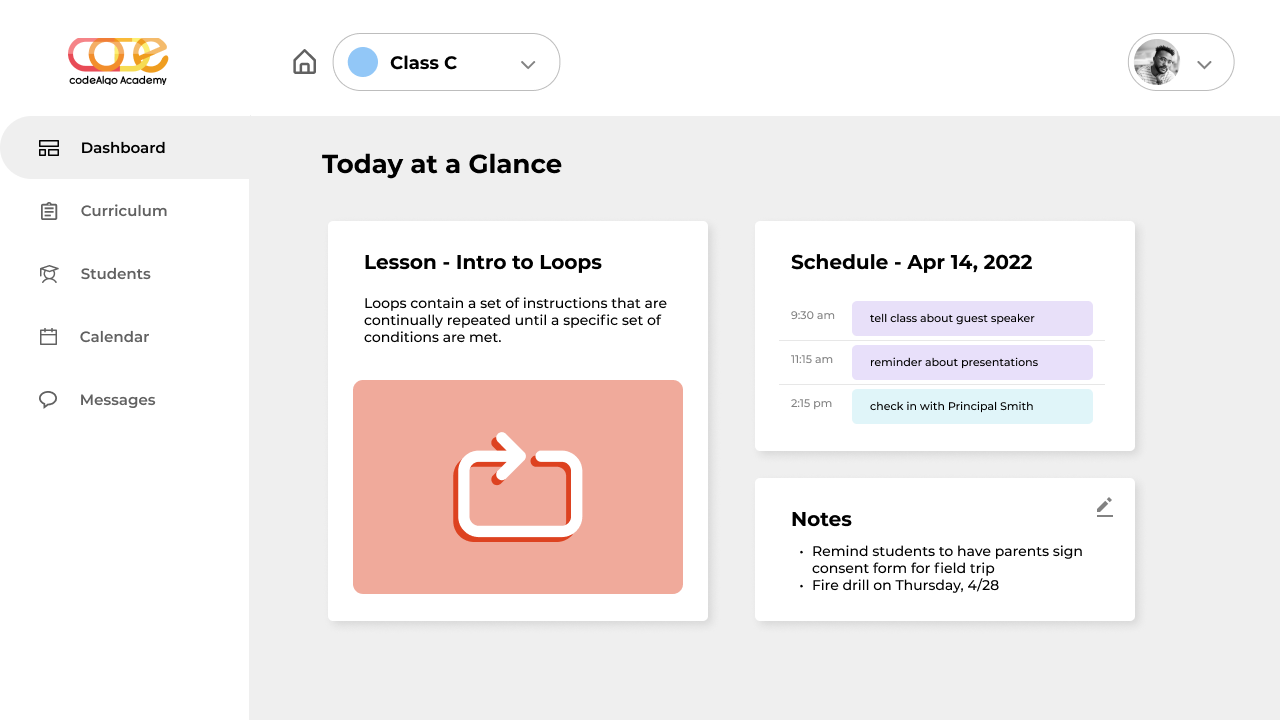
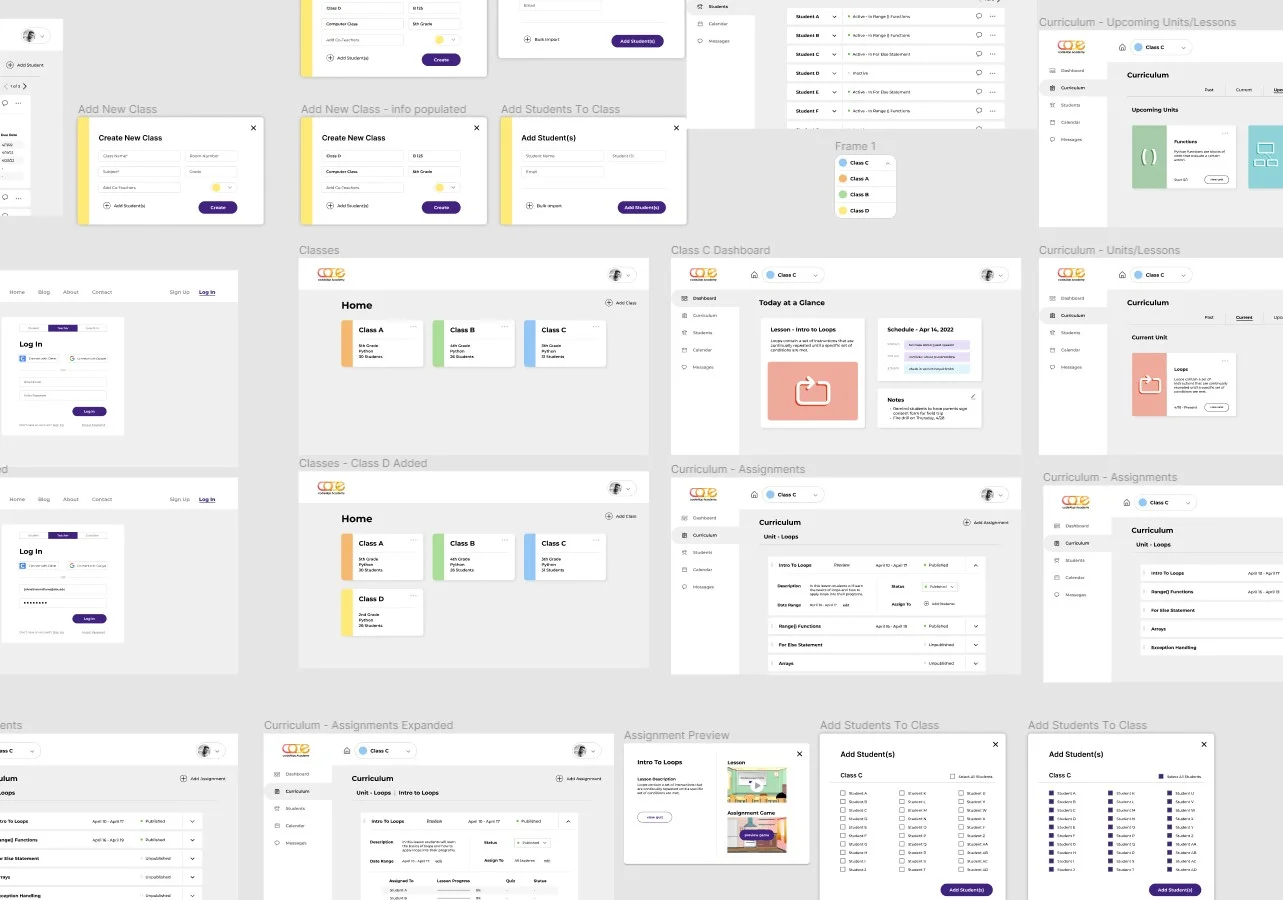
Teacher Portal
One place to manage classes, curriculum, assignments, students, grades, and schedules.
The dashboard prioritizes at-a-glance information and repeatable teacher tasks, using a clear left navigation and modular cards.
Student Portal
A playful world where lessons, characters, missions, and rewards make coding feel approachable.
The student experience uses a city map, guided missions, classroom scenes, game prompts, and visible progress to support engagement.